MAIN OBJECTA sculptural cobalt-blue vase with vivid orange flowers on warm ivory paper. Contemporary editorial poster, bold navy typography, natural shadows.
Edit the words or move an element, then generate a new image. This plans a new composition; it does not edit an uploaded photo.
Preview · live generation is not open yet
● YOUR CANVASEXAMPLE OUTPUT
MOSS Image · official layout exampleExample output · results vary
Example output
TWO REASONS TO CHOOSE MOSS IMAGE
Words that belong. A layout with intention.
01 / TEXT RENDERING
From a headline to a whole board.
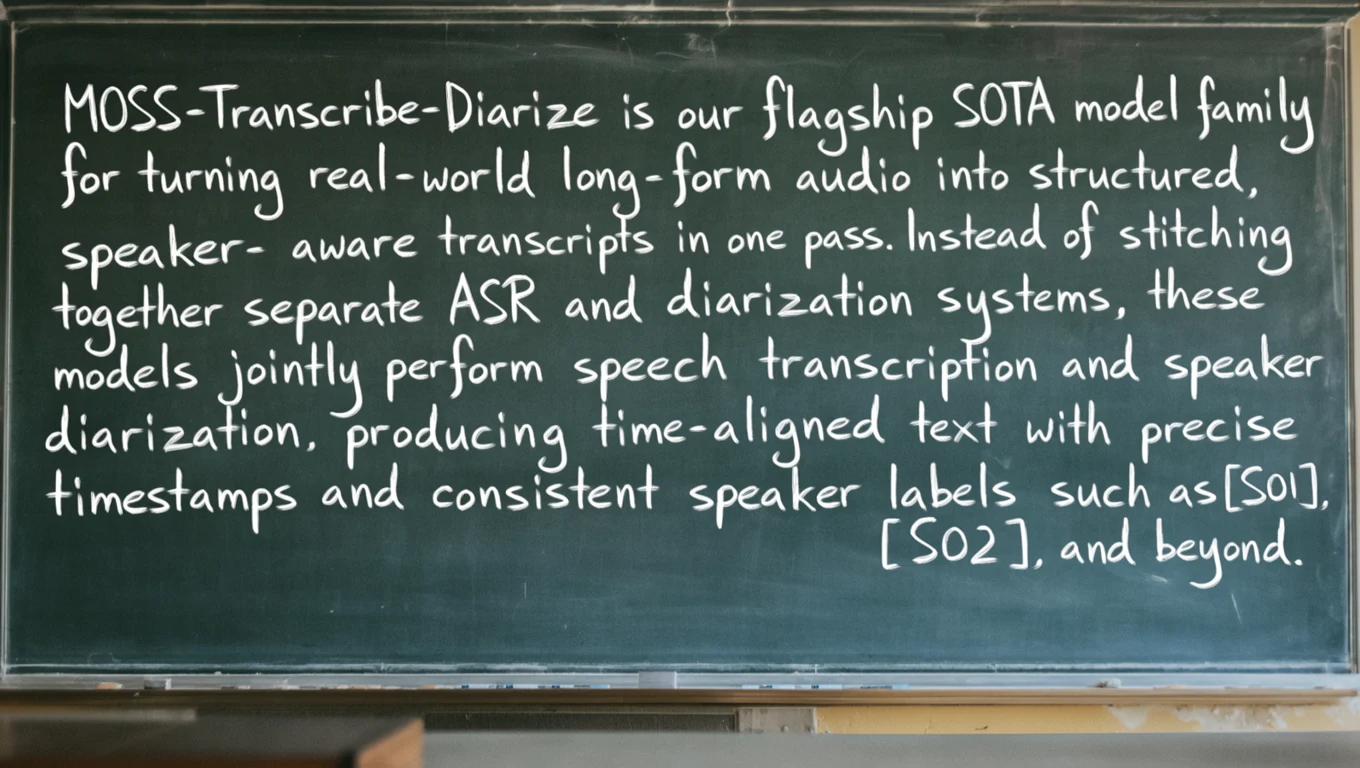
Specify the words you want, the lettering style, and the surrounding scene. MOSS Image can render text as part of the image, from poster titles and product labels to longer passages.
Official OpenMOSS Base sample. Online generation uses SFT; results and settings differ.
02 / NATIVE LAYOUT CONTROL
Give each element its place.
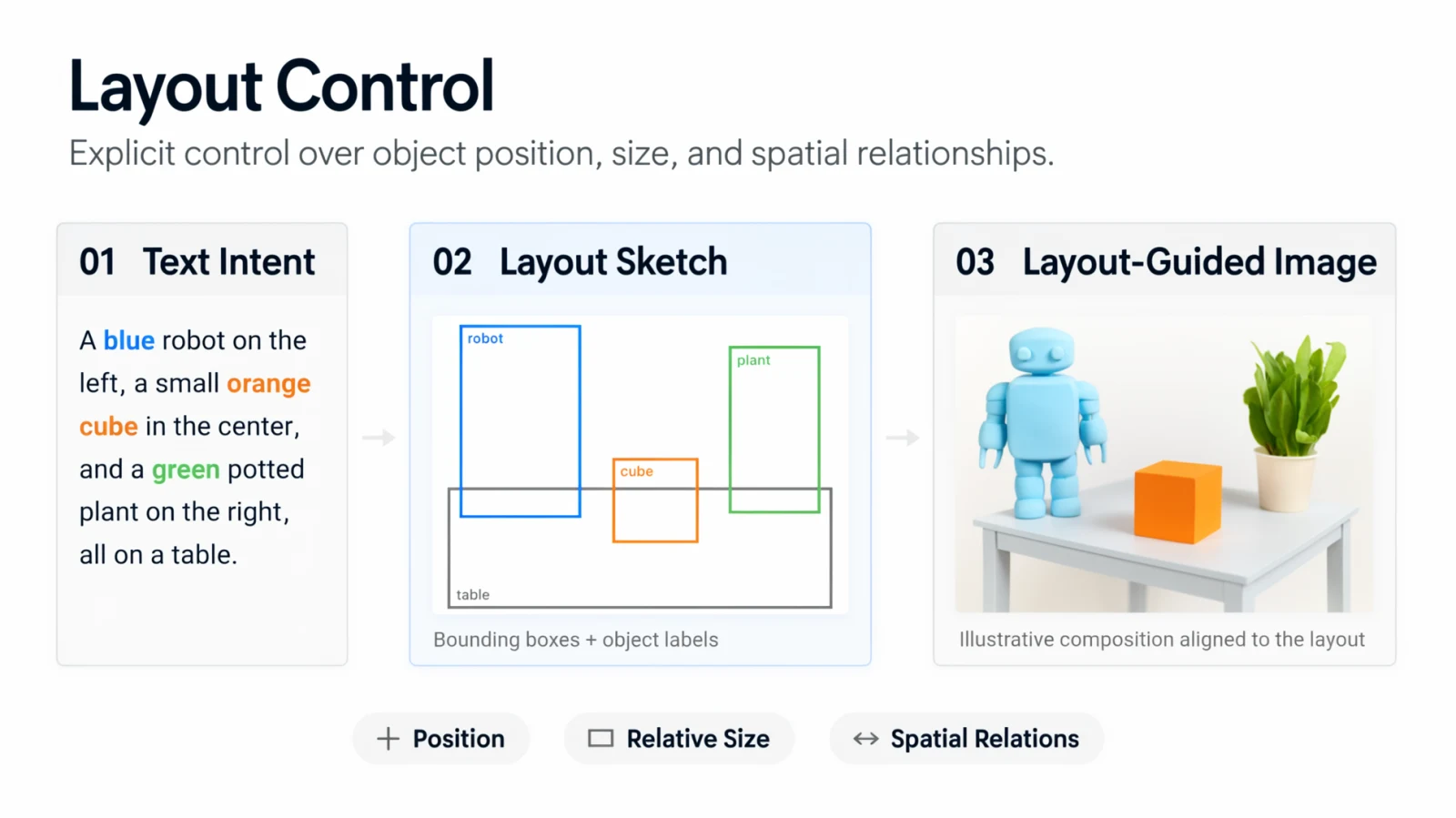
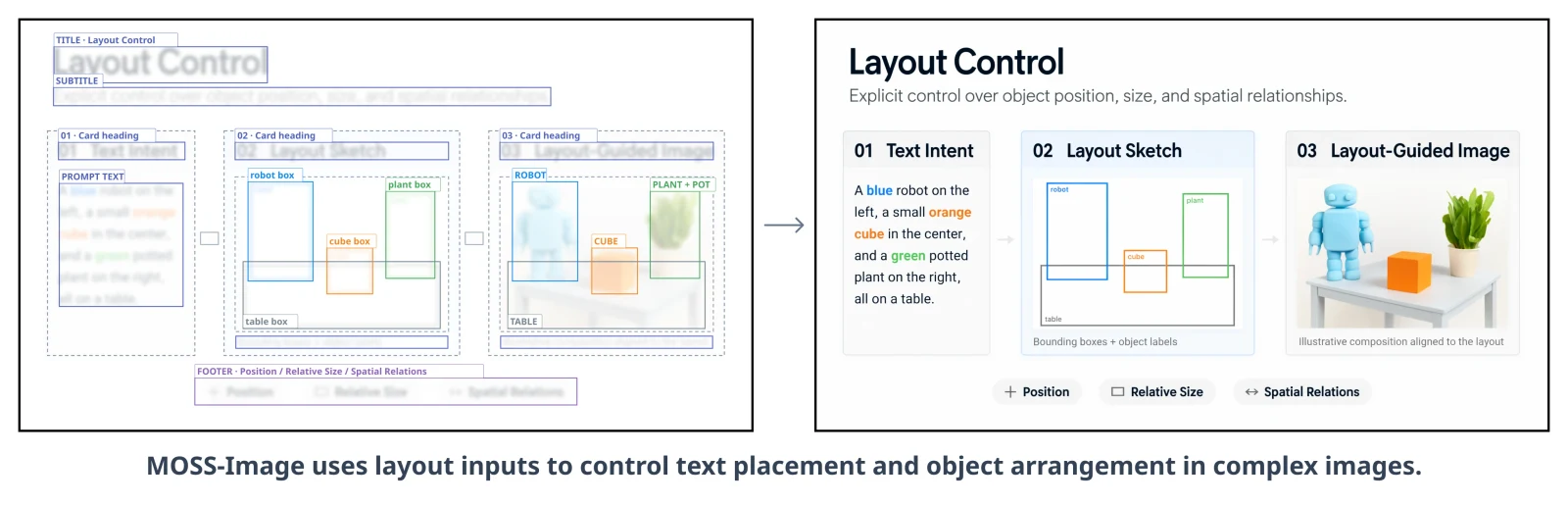
Structured prompts describe the scene, visible words, objects, and bounding boxes. Change the wording or placement to request a new composition—useful for posters, panels, and information graphics.
Edit a text & layout prompt Official OpenMOSS layout example. Layout guidance is experimental, not pixel-perfect design editing.
Examples by OpenMOSS. View the official project ↗ · Always check spelling, names, prices, and element placement.
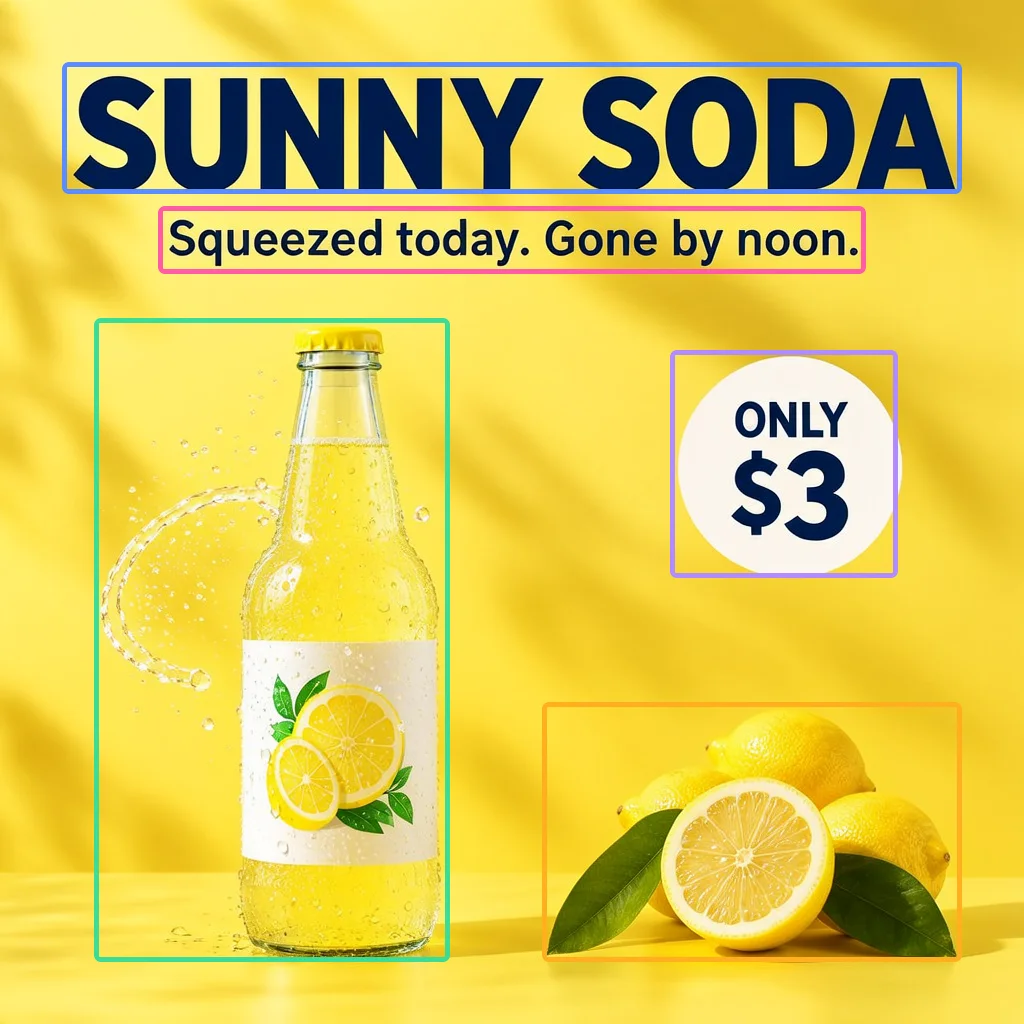
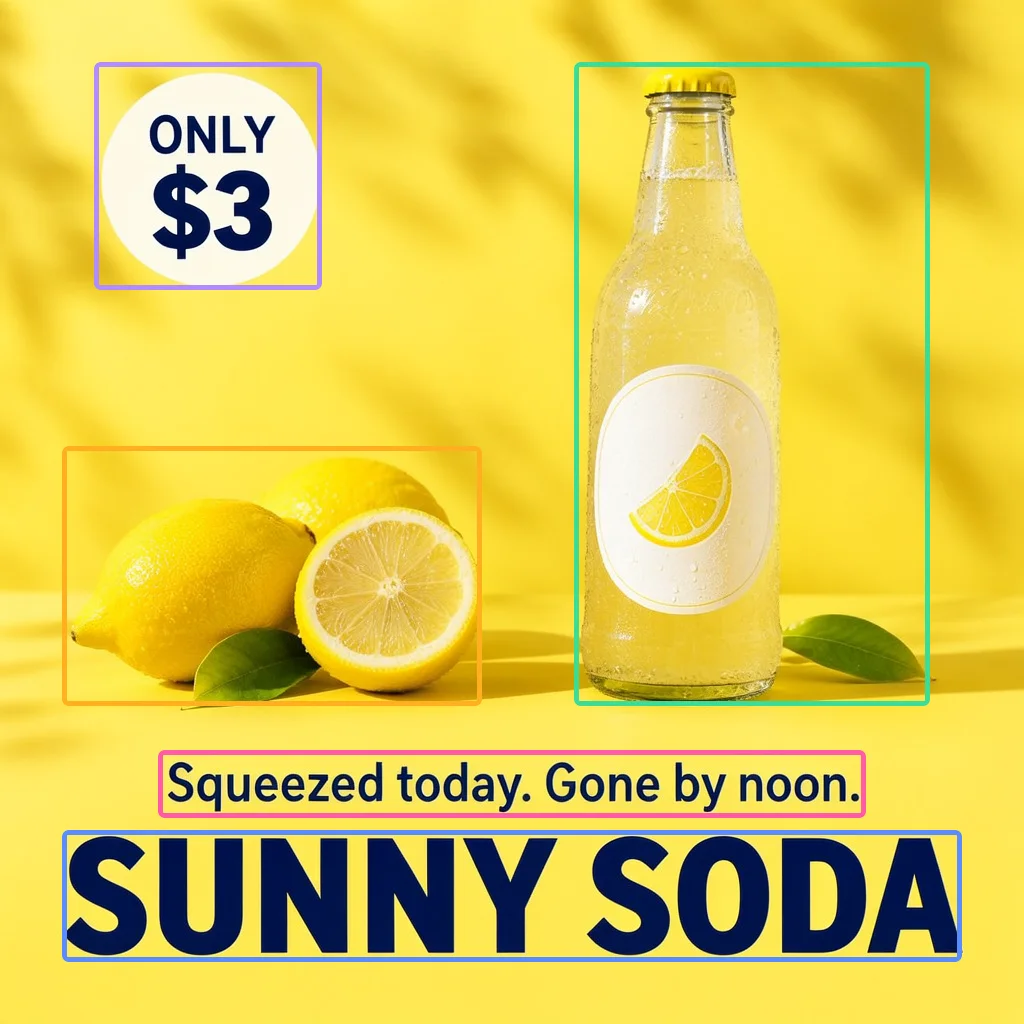
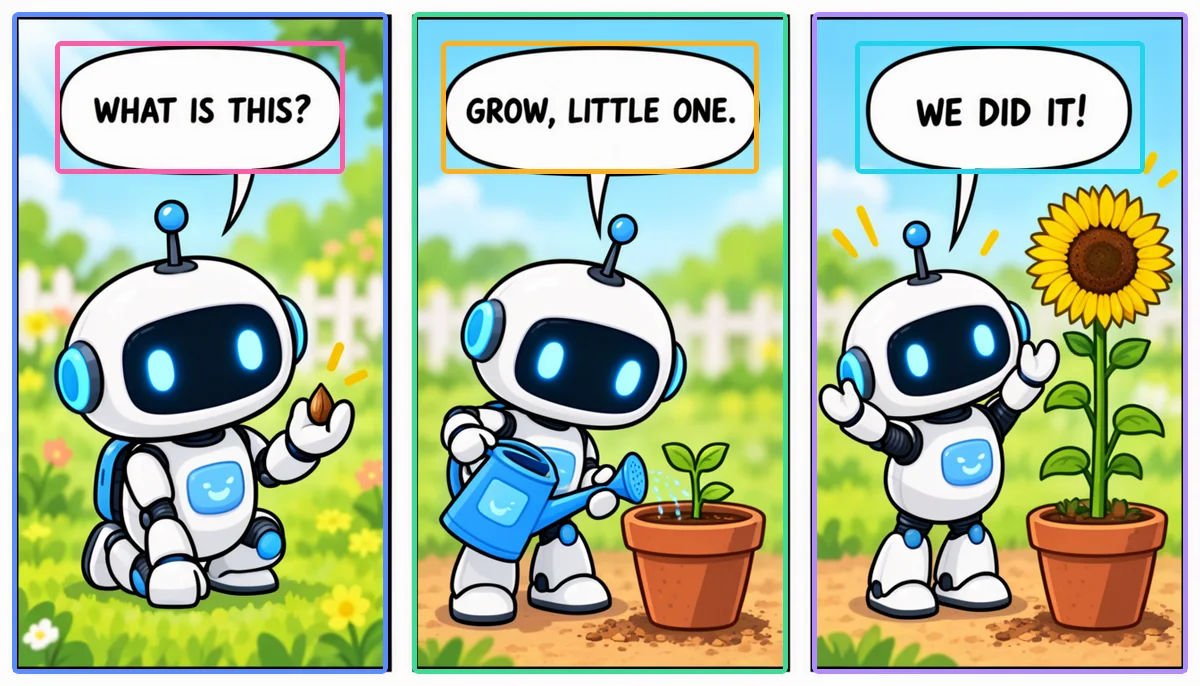
A headline, slogan, bottle, fruit, and price badge—two different compositions. Compare how their positions change. Colored boxes show the requested regions; the reference pair uses the same seed.
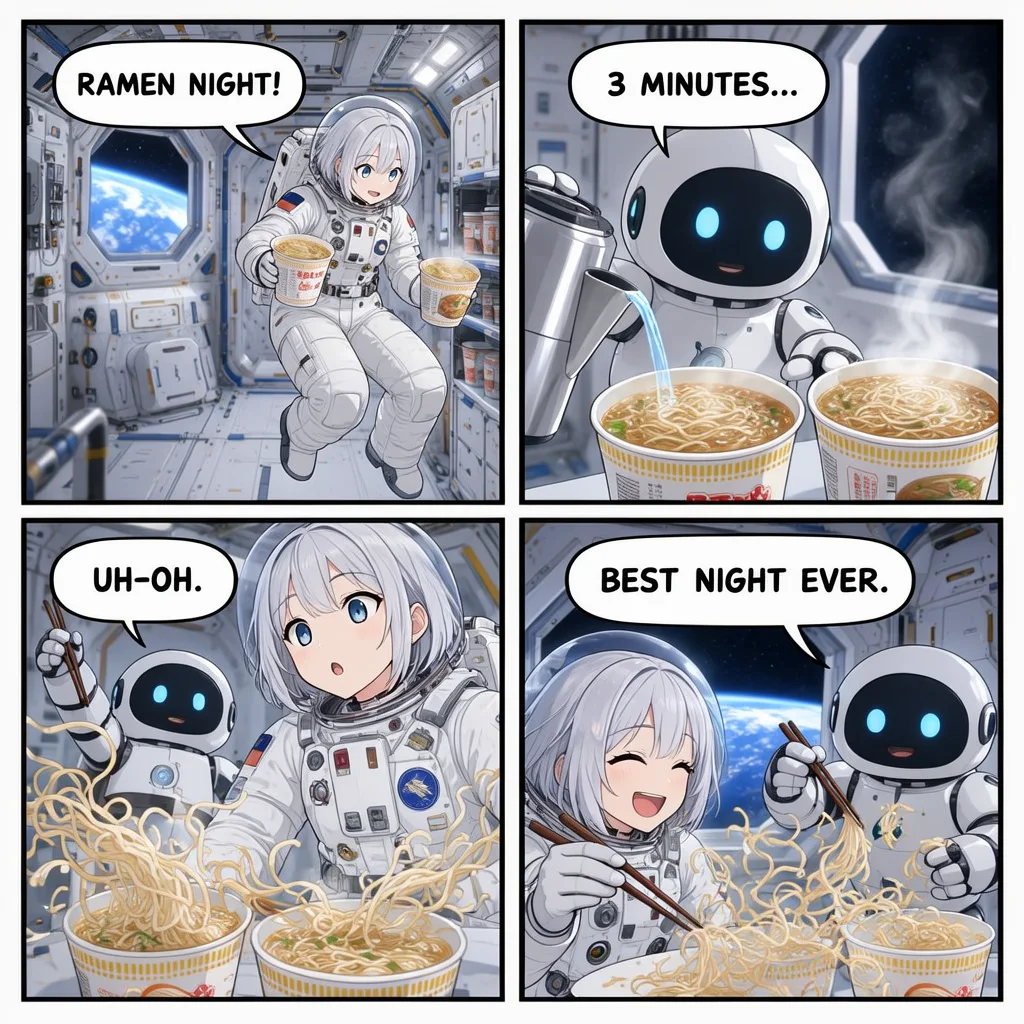
A shared scene, consistent characters, and English dialogue across four panels.
Reference output · 1024 × 1024 · seed 1131014722
Explore the layout JSON
Published prompt · 1024 × 1024
{
  "summary": {
    "meta": [
      "comic"
    ],
    "canvas": "multi_panel",
    "caption": "A four-panel anime comic page in clean line art with soft cel shading, read left to right and top to bottom, with white gutters. An adult astronaut woman with short silver hair and a small round white helper robot share a ramen night aboard a space station."
  },
  "items": [
    {
      "label": "character",
      "caption": "Top-left panel: the adult astronaut with short silver hair floats into the station galley holding two cup-noodle bowls.",
      "bbox": [
        -492,
        -492,
        -10,
        -10
      ]
    },
    {
      "label": "text",
      "caption": "White comic speech bubble with bold black lettering.",
      "text": "RAMEN NIGHT!",
      "bbox": [
        -472,
        -461,
        -378,
        -204
      ]
    },
    {
      "label": "character",
      "caption": "Top-right panel: the small round white robot pours hot water into the bowls as steam drifts in zero gravity.",
      "bbox": [
        -492,
        10,
        -10,
        492
      ]
    },
    {
      "label": "text",
      "caption": "White comic speech bubble with bold black lettering.",
      "text": "3 MINUTES...",
      "bbox": [
        -472,
        51,
        -378,
        308
      ]
    },
    {
      "label": "character",
      "caption": "Bottom-left panel: noodles float out of the bowls in zero gravity while the astronaut and the robot look surprised.",
      "bbox": [
        10,
        -492,
        492,
        -10
      ]
    },
    {
      "label": "text",
      "caption": "White comic speech bubble with bold black lettering.",
      "text": "UH-OH.",
      "bbox": [
        30,
        -461,
        123,
        -266
      ]
    },
    {
      "label": "character",
      "caption": "Bottom-right panel: both laugh and catch the floating noodles with chopsticks, the glowing Earth in the window behind them.",
      "bbox": [
        10,
        10,
        492,
        492
      ]
    },
    {
      "label": "text",
      "caption": "White comic speech bubble with bold black lettering.",
      "text": "BEST NIGHT EVER.",
      "bbox": [
        30,
        51,
        123,
        390
      ]
    }
  ],
  "bbox_coord_space": "abs_centralized",
  "bbox_format": "yxyx"
}
Published layout prompt from the source example, with its reference seed. The online model configuration differs; results will vary.
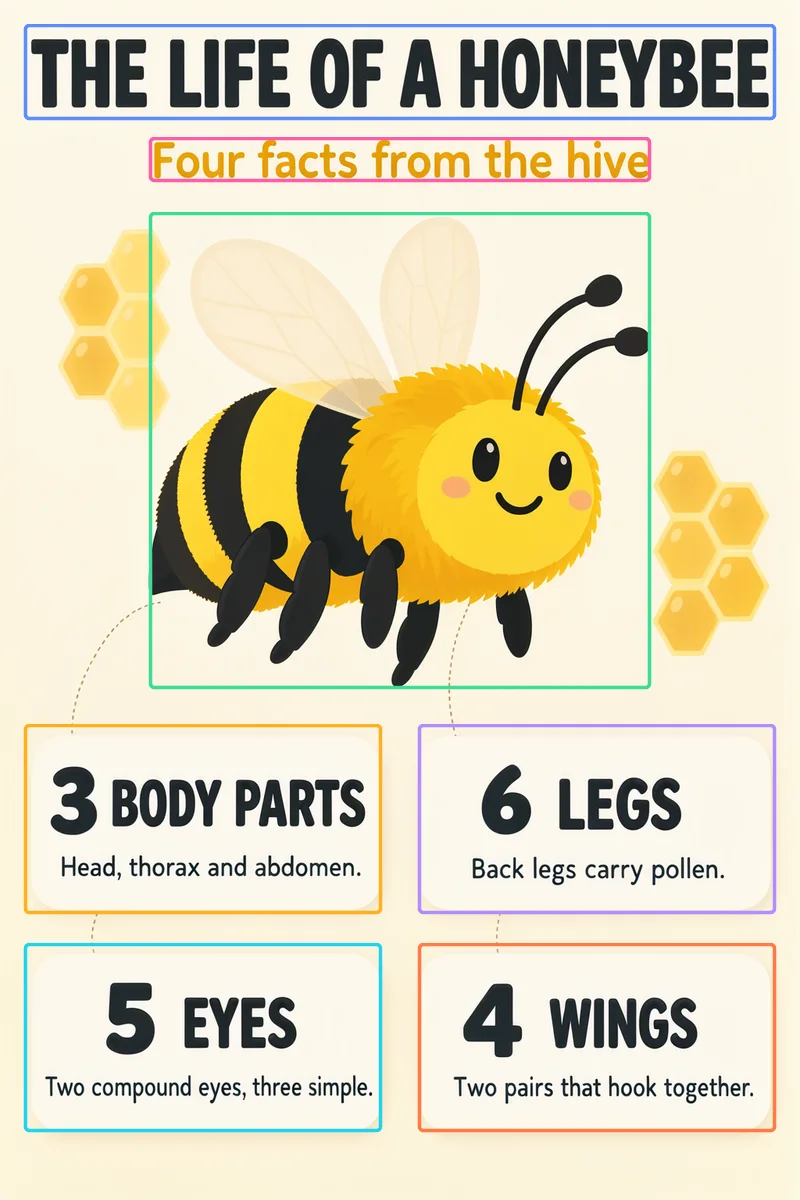
Arrange a title, central illustration, and four compact fact cards.
Reference output · 1024 × 1536 · seed 42
Explore the layout JSON
Studio starter · 896 × 1344
{
  "summary": {
    "meta": [
      "poster"
    ],
    "canvas": "single",
    "caption": "A cream and honey-yellow educational poster about bees. Friendly bee illustration, dark legible lettering, warm accents, and four neatly aligned fact cards."
  },
  "items": [
    {
      "label": "text",
      "caption": "Bold dark title.",
      "bbox": [
        -644,
        -420,
        -539,
        420
      ],
      "text": "THE LIFE OF A HONEYBEE"
    },
    {
      "label": "text",
      "caption": "Warm yellow subtitle.",
      "bbox": [
        -518,
        -280,
        -469,
        280
      ],
      "text": "Four facts from the hive"
    },
    {
      "label": "object",
      "caption": "A cheerful bee with translucent wings and a honeycomb accent.",
      "bbox": [
        -434,
        -280,
        98,
        280
      ]
    },
    {
      "label": "text",
      "caption": "A white fact card with a dark heading and smaller detail.",
      "bbox": [
        140,
        -420,
        350,
        -21
      ],
      "text": "3 BODY PARTS\nHead, thorax and abdomen."
    },
    {
      "label": "text",
      "caption": "A white fact card with a dark heading and smaller detail.",
      "bbox": [
        140,
        21,
        350,
        420
      ],
      "text": "6 LEGS\nBack legs carry pollen."
    },
    {
      "label": "text",
      "caption": "A white fact card with a dark heading and smaller detail.",
      "bbox": [
        385,
        -420,
        595,
        -21
      ],
      "text": "5 EYES\nTwo compound eyes, three simple."
    },
    {
      "label": "text",
      "caption": "A white fact card with a dark heading and smaller detail.",
      "bbox": [
        385,
        21,
        595,
        420
      ],
      "text": "4 WINGS\nTwo pairs that hook together."
    }
  ],
  "bbox_coord_space": "abs_centralized",
  "bbox_format": "yxyx"
}
Adapted starter prompt, not the original generation recipe. Boxes are scaled to this studio’s supported image size. Outputs will vary.
Reference examples, not images generated in your session. Layout control is experimental; check text and placement before publishing. Editing a layout requests a new image—it does not edit an uploaded photo.
A BLANK CANVAS. SO MANY DIRECTIONS.
Explore What You Can Create
Explore real model outputs across text, layouts, illustration, and photography. Examples use different models and settings; results vary. Select a sample to prepare a prompt.
THE MODEL BEHIND THE IMAGE
Meet the MOSS Image model family
MOSS Image is an open-weight text-to-image model family from OpenMOSS. It combines image generation, text rendering, and experimental layout control in one model.
Use MOSS Studio to explore the hosted SFT model online. No local GPU or ComfyUI installation is needed to prepare a prompt.
Foundation text-to-image checkpoint; a starting point for further fine-tuning.
Model guide & official downloads
MOSS Image SFT
Fine-tuned from Base on curated data, sharing its architecture and inference pipeline.
Selected online model
Base and SFT are two checkpoints in the MOSS Image family. Neither is presented here as a dedicated image-edit model.
01 / TEXT RENDERING
Put your words in the picture.
Quote a headline, label, or line of dialogue. Describe the typography and style alongside the scene. Check the final lettering before publishing.
POSTERS · LABELS · SOCIAL GRAPHICS02 / NATIVE LAYOUT CONTROL
Native Layout Control
Guide where text and objects appear with structured layout prompts. Use the layout tab to plan your composition. Layout control is experimental, so results may vary.
HEADLINES · OBJECTS · COMPOSITION03 / VISUAL RANGE
Find a look that feels like you.
Explore photographic scenes, illustrations, anime-inspired art, and graphic compositions. A detailed prompt gives the model more direction.
MOSS Image is an OpenMOSS text-to-image model family for creating images from natural-language prompts and structured layouts. MOSS Studio is an independent online experience, not the official OpenMOSS project.
Is MOSS Image free to use online?
The official model weights can be downloaded for local use under their published license; running them requires suitable hardware. New accounts receive 12 free credits, once per account. Additional online generation uses paid credits. You can explore examples and prepare prompts without paying. Generation availability is shown in the workspace.
What is the difference between MOSS Image Base and SFT?
Base is the foundation checkpoint and a starting point for further training. SFT is fine-tuned from Base on curated data and shares its architecture. This generator is configured for MOSS Image SFT; Base is not a second online model option here.
How do I use MOSS Image online?
Describe the subject, style, lighting, and any words you want in the image, then choose an aspect ratio. Use Layout to guide headline placement. You can prepare everything without signing in; an account and sufficient credits will be needed to generate when the service opens.
Can MOSS Image generate readable text and posters?
MOSS Image supports text within images, including headlines, labels, and longer passages. Put the exact wording in quotes and describe the font style and placement. Lettering can still be imperfect, so check names, dates, spelling, and prices before publishing.
What is Native Layout Control?
Native Layout Control uses a structured JSON prompt to describe objects, text, and bounding-box positions. Our Layout tab prepares guidance for headline placement. It guides composition rather than guaranteeing pixel-perfect placement.
Where can I download MOSS Image and a ComfyUI workflow?
Official Base and SFT downloads are available from OpenMOSS on Hugging Face. Our ComfyUI guide links to the official installation instructions and an example workflow. Download model files appropriate to your chosen loader; this website does not run a local ComfyUI workspace.
Do I need a GPU, and how much VRAM does MOSS Image need?
You do not need a local GPU for this online generator. Local hardware requirements depend on model precision, text encoder, resolution, offloading, and workflow. Use the official setup guide for your configuration rather than assuming a single VRAM number works for every version.
Does MOSS Image Edit support uploading an existing photo?
This generator accepts text and layout prompts, not uploaded photos or editing masks. Changing text or object positions in a layout generates a new image; it does not preserve an existing person, product, or background. Community editing workflows may have different capabilities.
What image sizes and settings can I use here?
This generator offers 1024 × 1024 square, 896 × 1344 portrait, and 1344 × 896 landscape images, one image per request. You can set a seed. Local MOSS workflows may offer additional resolutions and sampling settings.
Can I use MOSS Image commercially?
The official SFT model card lists Apache-2.0 for its weights and bundled inference code. That does not clear third-party brands, characters, likenesses, or other rights in an output. Follow the model license and service terms, and review content rights before commercial use.
How do credits, subscriptions, and failed generations work?
Square images use 10 credits; portrait and landscape use 12. Credit packs are one-time purchases, monthly plans add credits each paid month, and annual plans are billed once a year and issue the same monthly allowance for 12 months. The first grant arrives after verified payment; later grants follow the monthly billing anniversary. Canceling renewal does not remove grants for the already-paid year. Unused credits roll over. Confirmed generation failures restore reserved credits; an uncertain submission is not automatically resubmitted.